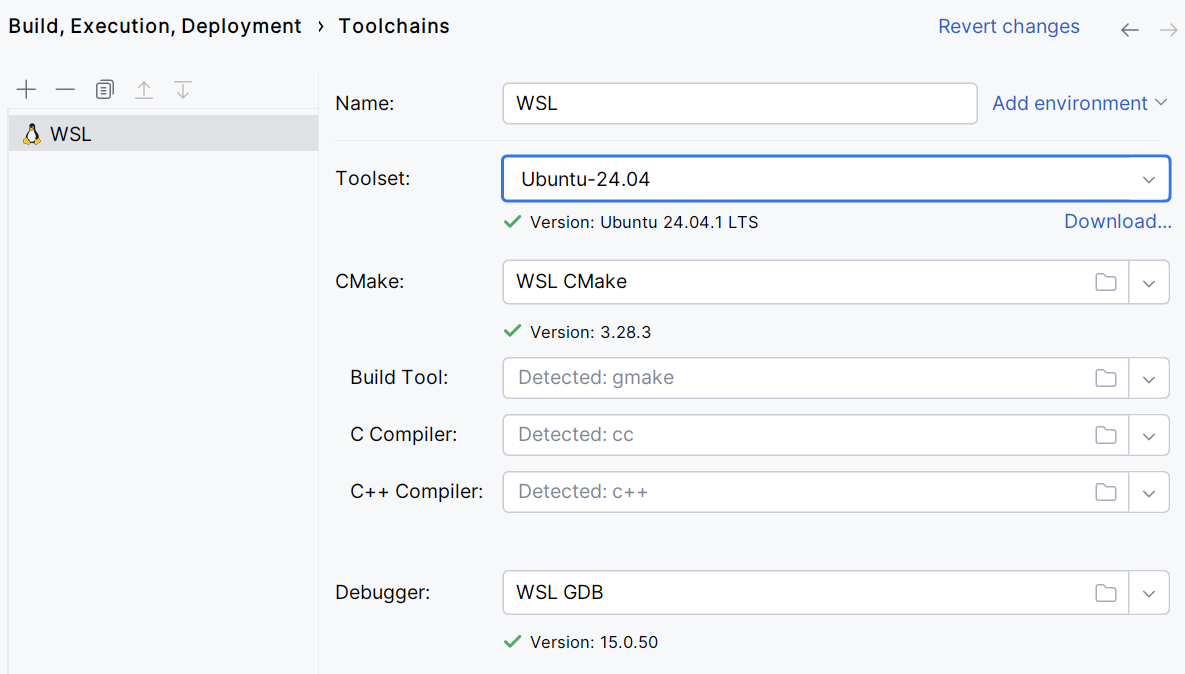
Note that CLion does not support legacy WSL.
2026-02-18
Written by: tdtc
cmake_minimum_required(VERSION 4.2)
project(untitled)

set(CMAKE_CXX_STANDARD 17)

find_package(Boost COMPONENTS thread chrono system REQUIRED)

include_directories(${Boost_INCLUDE_DIRS})

add_executable(untitled main.cpp)

target_link_libraries(untitled ${Boost_LIBRARIES})sudo apt install cmakesudo apt -y install ninja-buildsudo apt install libboost-all-dev# Install the necessary dependencies
sudo apt update
sudo apt install apt-transport-https ca-certificates gnupg software-properties-common wget
# Add the Kitware signing key
wget -O - https://apt.kitware.com/keys/kitware-archive-latest.asc 2>/dev/null | gpg --dearmor - | sudo tee /usr/share/keyrings/kitware-archive-keyring.gpg >/dev/null
# Add the Kitware APT repository
echo 'deb [signed-by=/usr/share/keyrings/kitware-archive-keyring.gpg] https://apt.kitware.com/ubuntu/ focal main' | sudo tee /etc/apt/sources.list.d/kitware.list >/dev/null
# Update the package list
sudo apt updatesudo apt upgrade注意: 路径要使用 /usr/bin